Secsy PKI


HSM-backed SSH and X.509 Certificate Authority with OIDC authentication, publicly auditable signing logs, and a web UI.
📖 Documentation · Quick start · Console walkthrough · Examples · Architecture
Every page of docs/ is published there — searchable and
cross-linked — by the documentation-site workflow;
make docs-serve renders the same tree locally.
See it first: a walkthrough of the operator console — 22 steps and 27 screenshots, from sign-in to the raw PKCS#11 view of the token.
Secsy PKI manages a public key infrastructure where CA private keys are stored on hardware security modules (HSMs) via PKCS#11. Users authenticate through OpenID Connect and request SSH or X.509 certificates signed by the HSM. Every signing operation is recorded in a cryptographically verifiable audit log backed by the YubiHSM's hardware hash chain.
Enterprise Edition
The enterprise edition (this repository) extends the base CA into a full HSM-backed enterprise PKI and secret-management platform. On top of per-key SSH/X.509 signing it adds:
- Backend-agnostic key provider — one abstraction (
internal/keyprovider) routes every key operation to a PKCS#11 HSM (YubiHSM, network HSM), SoftHSM for dev/CI, or an on-disk software keystore. Keys are generated on the device and never exported. - X.509 CA lifecycle — bootstrap root and intermediate CAs, then issue, renew, and revoke end-entity certificates from CSRs using named profiles. All signing (leaves, CRLs, OCSP) happens on the HSM.
- Revocation services — signed CRLs (RFC 5280 CRL numbers) and a public OCSP responder.
- HSM-backed secret encryption — envelope-encrypt passwords and small secrets under an RSA KEK whose private half stays on the HSM.
- RBAC — organization-wide roles (
admin,issuer,auditor) layered over the existing per-CA permission matrix. - Tamper-evident audit log — an append-only, hash-chained event log recording who did what, when, and with what result — including denied attempts, with RFC 3161 anchoring and SIEM export.
- Centralized configuration — RBAC assignments, issuance policy guardrails, and custom certificate profiles in one YAML file.
- Automated enrollment — ACME (RFC 8555, with ARI, client-selectable Profiles, http-01/dns-01/tls-alpn-01, EAB), SCEP, EST, CMP (RFC 9483), and BRSKI (RFC 8995) zero-touch onboarding, plus a host auto-enrollment agent.
- SSH certificate authority — HSM-backed OpenSSH user/host certificates with KRL revocation, and DANE TLSA / SSHFP DNS pinning-record generation.
- Governance & strong auth — four-eyes/maker-checker approvals for sensitive operations, OIDC SSO + mTLS + WebAuthn step-up, native scoped API tokens/service accounts, and multi-tenant isolation with per-tenant quotas.
- Assurance & compliance — pre-issuance CA/B-Forum linting (hand-rolled + optional zlint), Certificate Transparency (SCT embedding + inclusion-proof monitoring), CAA (RFC 8659/8657), Name Constraints & certificate policies, FIPS 140-3 build mode, and PQC/hybrid (ML-DSA) certificates.
- Operations — Prometheus metrics + Grafana/alerts, OpenTelemetry tracing, expiry monitoring + auto-renewal, an issuance canary, external certificate discovery, scheduled encrypted backups with restore-verification, and leader-elected background jobs for multi-replica HA.
See the architecture overview and the full guide index in docs/ for everything below.
Enterprise documentation
Comprehensive deployment and operations guides live in docs/,
grouped into twelve sections. Each links to its own index; the
documentation map lists every page. The same pages are
published — with search and navigation — at
https://blechschmidt.github.io/secsy-pki/ (how).
| Section | Covers |
|---|---|
| HSM & key management | PKCS#11 HSMs, cloud KMS and Vault Transit backends, key ceremony and DR, key attestation, the remotely verifiable HSM audit log |
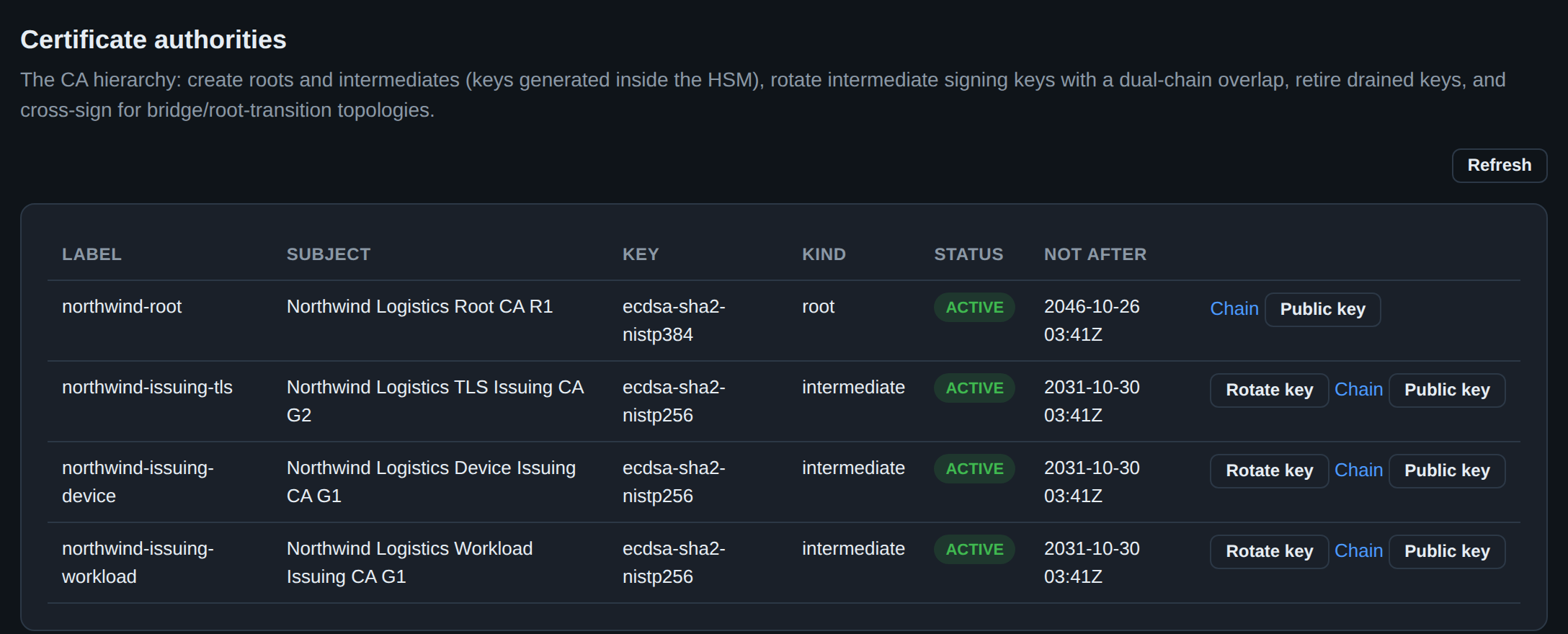
| Certificate authority | Root and intermediate CAs, the certificate lifecycle, key rotation, cross-signing, the SSH CA, chain validation |
| Issuance policy & gates | The fail-closed pre-issuance stack: BR linting, CAA, name constraints, weak-key checks, Certificate Transparency |
| Certificate types & profiles | S/MIME, smartcard logon / PKINIT, eIDAS qualified, SPIFFE SVIDs, delegated credentials, post-quantum |
| Enrollment protocols | ACME, SCEP/EST, BRSKI, Windows autoenrollment, the host agent, and the gRPC API |
| Signing & timestamping | Artifact/code signing, the RFC 3161 TSA, trusted time, RFC 4998 evidence records |
| Secret & password encryption | HSM-backed envelope encryption, escrow and recovery, tokenization, the crypto service |
| Security & governance | RBAC, operator authentication, four-eyes approvals, multi-tenancy, rate limiting, FIPS mode, SIEM export |
| Deployment & scaling | Container image and Helm chart, SQLite/PostgreSQL, multi-replica HA, self-issued serving TLS |
| Day-2 operations | The operator runbook, incident response, observability, backups, expiry monitoring, the illustrated console walkthrough |
| Compliance & audit readiness | The RFC 3647 CP/CPS and the CA/B Forum + WebTrust control mapping |
| Development & testing | Benchmarks, coverage, fuzzing, chaos testing, the authorization matrix, supply-chain security |
The Architecture Decision Records explain why the load-bearing design decisions were made.
Worked examples for common deployments — an SSH PKI, keyless software signing from GitHub Actions through OIDC, automated TLS with ACME, and a private CA for service-to-service mTLS — live in examples/: a minimal, ready-to-adapt config plus the client-side glue for each use case.
The secsy-ca and secsy-secret CLIs drive the CA and secret features; see the guides above. The sections below document the base server, SSH workflow, and per-key signing API.
Features
- HSM-backed signing — CA private keys live on a YubiHSM (or any PKCS#11 device). Keys never leave the hardware.
- SSH and X.509 certificates — Sign both OpenSSH certificates and X.509 certificates from CSRs using the same CA keys.
- Ed25519, ECDSA, and RSA — Generate and sign with Ed25519, ECDSA P-256/P-384/P-521, or RSA 2048/4096.
- Publicly auditable logs — Every HSM signing operation is recorded in a hardware hash chain, signed by the device's attestation key, and cross-referenced with certificate parameters. An offline verifier (
secsy-verify) proves the complete chain of trust. - Certificate uniqueness — Each certificate is stored as raw binary with a SHA-256 uniqueness constraint per CA. Duplicate signing of the same material returns the existing certificate without calling the HSM.
- OIDC authentication — Public client with PKCE. The issuer discovery URL is the root of trust; no client secret needed.
- Root user — Configurable admin with basic auth, exempt from OIDC.
- Permission matrix —
SIGN_CERTIFICATE,MANAGE_PERMISSIONS, andCONFIGURE_CAper key, assignable to users or groups with separate SSH and X.509 restriction set overrides. - Restriction sets — Per-CA and global ceilings on signing, administered from the console's Restrictions view. SSH sets are enforced on
POST /api/keys/{id}/sign: max validity, allowed principals/cert types, forced email+reason key IDs, deny extensions/critical options. X.509 sets are stored but consulted by no issuance path — the equivalent X.509 ceiling is the certificate profile; see the console reference. Built-in "Permit all" and "Disallow all" defaults for both types; a new CA starts at "Disallow all". - Public key export — Export CA public keys in PEM (PKIX) or OpenSSH format via API and console.
- HSM management — Audit provisioning, device info, attestation and the raw PKCS#11 object view from the console; the irreversible factory reset is
secsy-caonly, by design. - Operator console — The single UI: a minimal, dependency-free web console embedded in the server binary (
go:embed) at/console/, with feature parity to the CLIs (docs/operations/web-console.md): CA hierarchy management (roots, intermediates, key rotation with dual-chain overlap, retirement, cross-signing), certificate issue/renew/revoke with CRL/shard downloads, expiry monitoring, external discovery, SSH CA signing and KRLs, artifact code-signing and verification, SVID minting, ad-hoc certificate linting, the HSM key inventory, the tamper-evident audit log with chain verification and SIEM exports, HSM-backed secret envelopes with escrow, and tenant administration. Ships with no separate front-end deploy; all actions run through the RBAC-gated, audited API, with WebAuthn step-up on high-risk operations. - SQLite and PostgreSQL — Dual database support. SQLite for development, PostgreSQL for production.
- Terraform provisioning — Provision the root CA key on a YubiHSM using terraform-provider-pkcs11.
Architecture
graph TB
    Browser["Browser (SPA)"]
    Server["Go HTTP Server"]
    SQLite["SQLite DB"]
    HSM["YubiHSM (PKCS#11)"]
    OIDC["OIDC Provider"]

    Browser -->|"HTTPS + OIDC/Basic Auth"| Server
    Server --> SQLite
    Server -->|"PKCS#11 (yhusb://)"| HSM
    Server -->|"ID token verification"| OIDC
    HSM -->|"Ed25519/ECDSA/RSA signing"| Server
Audit Verification
Secsy PKI provides cryptographic proof that a CA key has only signed the certificates listed in the audit log. The verification relies on three independent mechanisms that together form a complete chain of trust.
Chain of Trust
graph LR
    YubicoRoot["Yubico Root CA"]
    YubicoInt["Yubico Intermediate CA"]
    DeviceCert["Device Certificate"]
    AttestKey["Attestation Key (0x0001)"]
    CAKey["CA Key (e.g. 0x50dd)"]
    HashChain["HSM Hash Chain"]
    Signature["Signature on last hash"]
    Certs["Signed Certificates"]

    YubicoRoot -->|"signs"| YubicoInt
    YubicoInt -->|"signs"| DeviceCert
    DeviceCert -->|"signs attestation cert for"| AttestKey
    DeviceCert -->|"signs attestation cert for"| CAKey
    AttestKey -->|"signs"| Signature
    HashChain -->|"last hash"| Signature
    CAKey -->|"signs"| Certs
Verification Steps (secsy-verify verify-combined-log)
graph TD
    S1["Step 1: Verify Signed HSM Audit Log"]
    S1a["Hash chain integrity"]
    S1b["Signature on last hash (Ed25519)"]
    S1c["Attestation cert ← Device cert ← Yubico CA"]

    S2["Step 2: Combined Log Hash Chain"]
    S2a["Independent hash chain verification"]
    S2b["Consistency with signed log"]

    S3["Step 3: CA Key Attestation"]
    S3a["Match provided public key to attestation cert"]
    S3b["Verify attestation cert signed by device"]

    S4["Step 4: CA Key Properties"]
    S4a["Generated on HSM (origin=generated)"]
    S4b["Never exported"]
    S4c["Sign-only capabilities (no decrypt/wrap/export)"]
    S4d["Forced audit enabled before key generation"]
    S4e["All sign commands force-audited before keygen"]

    S5["Step 5: Cross-Reference"]
    S5a["Every HSM sign op → combined log entry"]
    S5b["Every combined log entry → HSM sign op"]

    S6["Step 6: Certificate Verification"]
    S6a["Certificate signature matches attested CA key"]
    S6b["Parameters match log (key_id, principals, validity)"]

    S7["Step 7: Bijection"]
    S7a["All certificates unique (no duplicate hashes/serials)"]
    S7b["N HSM ops ↔ N unique verified certificates"]

    S1 --> S1a & S1b & S1c
    S2 --> S2a & S2b
    S3 --> S3a & S3b
    S4 --> S4a & S4b & S4c & S4d & S4e
    S5 --> S5a & S5b
    S6 --> S6a & S6b
    S7 --> S7a & S7b

    S1 --> S2 --> S3 --> S4 --> S5 --> S6 --> S7
Why This Works
graph LR
    subgraph "HSM Hardware"
        HC["Hash Chain<br/>(computed inside HSM)"]
        Sign["Sign operations<br/>(recorded in chain)"]
    end

    subgraph "Attestation"
        DC["Device Cert<br/>(Yubico CA chain)"]
        AK["Attestation Key<br/>(signs last hash)"]
        CK["CA Key Attestation<br/>(generated, sign-only,<br/>unexportable)"]
    end

    subgraph "Provisioning Order"
        PO["Factory Reset → Audit Provisioning<br/>→ Key Generation"]
    end

    subgraph "Bijection"
        N_ops["N HSM sign ops"]
        N_certs["N unique certificates"]
        Verify["Each cert signed by<br/>attested CA key"]
    end

    HC --> AK
    DC --> AK
    DC --> CK
    PO --> HC
    Sign --> N_ops
    N_ops -->|"1:1 mapping"| N_certs
    CK --> Verify
    N_certs --> Verify
The verification proves a strict provisioning order from the audit log:
- Factory reset — device init entry (0xff) at entry 1 proves a clean slate
- Audit provisioning — SET OPTION entries enable forced, irreversible logging for all sign commands, key generation, and wrapping operations
- Key generation — GENERATE ASYMMETRIC KEY entry appears AFTER all audit provisioning entries
- Sign-only capabilities — the CA key's attestation cert shows only signing capabilities (no decrypt, derive, wrap, or export)
Forced audit mode (irreversible) ensures the HSM refuses operations when the 62-entry log is full, preventing unlogged signing. The server consumes HSM audit entries before and after every HSM operation to keep the log from filling up.
Usage
Build the verifier:
Verify a signed audit log:
secsy-verify verify-audit-log \
  --audit-log signed-audit-log.json \
  --yubico-ca yubico-root.pem \
  --yubico-intermediate yubico-intermediate.pem
Verify the complete chain including certificate parameters:
secsy-verify verify-combined-log \
  --signed-log signed-audit-log.json \
  --combined-log combined-audit-log.json \
  --ca-key ca-public-key.pub \
  --yubico-ca yubico-root.pem \
  --yubico-intermediate yubico-intermediate.pem
The Yubico CA certificates can be downloaded from: - Root: https://developers.yubico.com/YubiHSM2/Concepts/yubihsm2-attest-ca-crt.pem - Intermediate: https://developers.yubico.com/YubiHSM2/Concepts/E45DA5F361B091B30D8F2C6FA040DB6FEF57918E.pem
Quick Start
Prerequisites
- Go 1.26+
- A PKCS#11 device (YubiHSM2 recommended) or SoftHSM for development
- Docker (for KeyCloak and integration tests)
1. Build
cd server

# With SQLite support
go build -tags sqlite -o secsy-pki-server ./cmd/server

# Without SQLite (PostgreSQL only)
go build -o secsy-pki-server ./cmd/server

# Tools
go build -o secsy-verify ./cmd/verify
go build -o secsy-ssh ./cmd/secsy-ssh
2. Generate TLS Certificates
mkdir -p certs
openssl req -x509 -newkey ec -pkeyopt ec_paramgen_curve:prime256v1 \
  -keyout certs/server.key -out certs/server.crt -days 365 -nodes \
  -subj "/CN=localhost" -addext "subjectAltName=DNS:localhost,IP:127.0.0.1"
3. Configure
Edit config.yaml:
server:
  host: "0.0.0.0"
  port: 8443
  tls_cert: "certs/server.crt"
  tls_key: "certs/server.key"

database:
  driver: "sqlite"
  dsn: "secsy-pki.db"

oidc:
  issuer_url: "http://localhost:8080/realms/secsy-pki"
  client_id: "secsy-pki"

root_user:
  username: "root"
  password: "change-me-in-production"

pkcs11:
  module_path: "/usr/lib/pkcs11/yubihsm_pkcs11.so"
  pin: "0001password"
  token_label: "YubiHSM"
  token_serial: ""       # optional: match by serial number
  token_manufacturer: "" # optional: match by manufacturer

yubihsm:
  connector_url: "yhusb://"
  auth_key_id: 1
  password: "password"
  suppress_audit_warning: false
  # A YubiHSM's USB interface belongs to one claim, and two things here need the
  # device: the PKCS#11 signing path and the native audit/attestation driver.
  # The server takes the claim and relays for the module on loopback, so one
  # process — and one container — does both. On by default for this pair.
  embedded_connector:
    enabled: true
For SoftHSM development, use module_path: "/usr/lib/softhsm/libsofthsm2.so". Run ./scripts/setup-softhsm.sh to initialize a token, and eval "$(./scripts/setup-softhsm.sh --export-env)" to wire the SECSY_* environment variables. See HSM / PKCS#11 configuration.
The enterprise blocks — key_provider, rbac, policy, profiles, and secret — are documented in docs/ and shown fully commented in server/config.yaml.
For PostgreSQL, change the database section:
database:
  driver: "postgres"
  dsn: "host=localhost user=secsy password=secret dbname=secsypki sslmode=disable"
4. Run
The server auto-generates yubihsm_pkcs11.conf from the yubihsm.connector_url config setting — or from the address of its own embedded connector when it is multiplexing the device, so the signing path and the audit driver cannot drift apart. You can also set YUBIHSM_PKCS11_CONF manually if needed.
Yubico's PKCS#11 module is not part of this repository — install the YubiHSM 2 SDK, or pull the -yubihsm container image, which has the module and the libyubihsm transports baked in for both architectures. See the container image.
Open https://localhost:8443 and log in as root.
secsy-ssh: SSH Client Wrapper
secsy-ssh wraps the standard ssh command with automatic OIDC-based certificate authentication. It handles the entire flow: OIDC login via browser, certificate signing through the Secsy PKI API, and passing the certificate to ssh — all in a single command.
How It Works
sequenceDiagram
    participant User
    participant secsy-ssh
    participant Browser
    participant OIDC as OIDC Provider
    participant API as Secsy PKI API
    participant HSM as YubiHSM
    participant SSH as SSH Server

    User->>secsy-ssh: secsy-ssh --ca "Root CA" user@host
    secsy-ssh->>secsy-ssh: Find ~/.ssh/id_ed25519
    secsy-ssh->>secsy-ssh: Check certificate cache
    alt Cache hit (not expired)
        secsy-ssh->>SSH: ssh -i key -o CertificateFile=cert user@host
    else Cache miss
        secsy-ssh->>API: GET /api/auth/config
        API-->>secsy-ssh: OIDC issuer + client_id
        secsy-ssh->>Browser: Open authorization URL
        Browser->>OIDC: User logs in
        OIDC->>secsy-ssh: Authorization code (localhost:18329/callback)
        secsy-ssh->>OIDC: Exchange code for ID token (PKCE)
        OIDC-->>secsy-ssh: ID token
        secsy-ssh->>API: GET /api/keys/{id}/my-restrictions
        API-->>secsy-ssh: Restriction set (require_reason, etc.)
        opt Reason required
            secsy-ssh->>User: Prompt for reason
            User-->>secsy-ssh: "deployment"
        end
        secsy-ssh->>API: POST /api/keys/{id}/sign (pubkey, principal, reason)
        API->>HSM: Sign certificate
        HSM-->>API: Signed certificate
        API-->>secsy-ssh: SSH certificate
        secsy-ssh->>secsy-ssh: Cache certificate
        secsy-ssh->>secsy-ssh: Write cert to memfd (in-memory only)
        secsy-ssh->>SSH: ssh -i key -o CertificateFile=/proc/self/fd/3 user@host
    end
    SSH-->>User: Connected
Install
Configure
Create ~/.ssh/secsy.yaml:
api_url: "https://secsy-pki.example.com:8443"
# insecure_skip_verify: true  # only for development with self-signed certs
Usage
# Basic usage — opens browser for OIDC login, signs key, connects
secsy-ssh --ca "Root CA" user@host

# With a specific port
secsy-ssh --ca "Root CA" user@host -p 2222

# Provide a reason (if the CA requires it)
secsy-ssh --ca "Root CA" --reason "deployment" user@host

# Skip the certificate cache
secsy-ssh --ca "Root CA" --nocache user@host

# All standard ssh options work
secsy-ssh --ca "Root CA" user@host -L 8080:localhost:80 -N
Options
| Flag | Description |
|---|---|
--ca <name> |
CA to sign with (required, matched by label or ID) |
--reason <text> |
Reason for the certificate (prompted interactively if CA requires it) |
--nocache |
Skip the certificate cache, always request a new one |
All other arguments are passed directly to ssh.
Key Discovery
secsy-ssh searches ~/.ssh/ for the first available key with a corresponding .pub file. Preferred order:
id_ed25519id_ecdsaid_rsa- Any other
id_*file (e.g.,id_ed25519_work,id_ecdsa_deploy)
The corresponding .pub file is sent to the API for signing.
Certificate Caching
Signed certificates are cached in $XDG_RUNTIME_DIR/secsy-ssh/ (or /tmp/secsy-ssh-<uid>/ if XDG_RUNTIME_DIR is not set). The cache key is a SHA-256 hash of all CLI arguments.
- Cached certificates are reused until they expire (checked by parsing the certificate's
ValidBeforefield) - Use
--nocacheto bypass the cache - Different arguments (host, port, CA, reason) produce different cache keys
Security Properties
- No disk writes: The signed certificate is held in memory using
memfd_create(2)and passed tosshvia/proc/self/fd/3. No certificate data touches the filesystem (except the cache, which uses0600permissions in the runtime directory). - PKCE: The OIDC flow uses Proof Key for Code Exchange (S256) with a local callback server on port 18329.
- Principal extraction: The SSH username (from
user@hostor-l user) is automatically included as the certificate principal. - Restriction enforcement: If the CA has a restriction set with
require_reason, the user is prompted interactively. Ifforce_key_id_emailis set, the key ID is automatically set to the user's email from the OIDC token.
OIDC Provider Setup
The OIDC provider must be configured to allow the redirect URI http://localhost:18329/* for the secsy-ssh callback. For KeyCloak:
# Add redirect URI via admin API
curl -X PUT -H "Authorization: Bearer $ADMIN_TOKEN" \
  "http://keycloak:8080/admin/realms/secsy-pki/clients/$CLIENT_UUID" \
  -H "Content-Type: application/json" \
  -d '{"redirectUris": ["https://your-server:8443/*", "http://localhost:18329/*"]}'
Example: Full Setup
# 1. Configure
cat > ~/.ssh/secsy.yaml << 'EOF'
api_url: "https://secsy-pki.example.com:8443"
EOF

# 2. Generate an SSH key (if you don't have one)
ssh-keygen -t ed25519

# 3. Connect — browser opens for login, cert is signed, SSH connects
secsy-ssh --ca "Production CA" deploy@server.example.com

# 4. Second connection — uses cached cert, no browser needed
secsy-ssh --ca "Production CA" deploy@server.example.com
Terraform
Provision the root CA key on a YubiHSM:
cd terraform
cp terraform.tfvars.example terraform.tfvars  # edit as needed
terraform init
terraform apply
The Ed25519 root key is generated on the YubiHSM via yubihsm-shell and imported into Terraform state:
YubiHSM PKCS#11 Configuration
yubihsm_pkcs11.conf:
API
All endpoints under /api/ require authentication (Bearer token or Basic auth for root).
| Method | Path | Description |
|---|---|---|
| GET | /api/health |
Health check |
| GET | /api/auth/config |
OIDC discovery config |
| GET | /api/me |
Current user info |
| GET | /api/keys |
List keys |
| POST | /api/keys |
Create key (omit pkcs11_uri to generate on HSM) |
| GET | /api/keys/{id} |
Get key |
| DELETE | /api/keys/{id} |
Delete key |
| GET | /api/keys/{id}/public-key |
Export public key (?format=pem default, ?format=ssh) |
| POST | /api/keys/{id}/sign |
Sign an SSH certificate |
| POST | /api/keys/{id}/sign-x509 |
Sign an X.509 certificate from CSR |
| POST | /api/parse-csr |
Parse and display CSR contents |
| GET | /api/keys/{id}/my-restrictions |
Get effective restriction set (?format=ssh\|x509) |
| GET | /api/groups |
List groups |
| POST | /api/groups |
Create group |
| DELETE | /api/groups/{id} |
Delete group |
| GET | /api/groups/{id}/members |
List group members |
| POST | /api/groups/{id}/members |
Add member |
| DELETE | /api/groups/{id}/members/{sub} |
Remove member |
| GET | /api/keys/{id}/permissions |
List permissions |
| POST | /api/keys/{id}/permissions |
Grant permission (with SSH/X.509 restriction sets) |
| DELETE | /api/keys/{id}/permissions |
Revoke permission |
| GET | /api/restriction-sets |
List all restriction sets |
| POST | /api/restriction-sets |
Create global restriction set |
| GET | /api/keys/{id}/restriction-sets |
List restriction sets for a key (includes global) |
| POST | /api/keys/{id}/restriction-sets |
Create key-specific restriction set |
| PUT | /api/restriction-sets/{id} |
Update restriction set |
| DELETE | /api/restriction-sets/{id} |
Delete restriction set |
| PUT | /api/keys/{id}/default-restriction-set |
Set key default (type: ssh|x509) |
| GET | /api/audit-log |
Sign operations audit log (filterable, paginated) |
| GET | /api/access-log |
API access log (paginated) |
| GET | /api/hsm/info |
HSM device info and audit status |
| GET | /api/hsm/attestation |
Export device attestation certificate (PEM) |
| GET | /api/hsm/audit-log |
HSM audit log entries from database |
| GET | /api/hsm/signed-audit-log |
Signed HSM audit log (signature over last hash) |
| GET | /api/hsm/combined-audit-log |
Combined log with sign operations and key attestations |
| POST | /api/hsm/provision-audit |
Enable forced audit logging (irreversible) |
| POST | /api/hsm/factory-reset |
Factory reset the YubiHSM |
Sign an SSH Certificate
curl -sk -u root:password -X POST https://localhost:8443/api/keys/{key_id}/sign \
  -H 'Content-Type: application/json' \
  -d '{
    "public_key": "ssh-ed25519 AAAA... user@host",
    "cert_type": "user",
    "principals": ["username"],
    "valid_before": "+52w",
    "key_id": "user@org",
    "reason": "deployment"
  }'
Sign an X.509 Certificate
curl -sk -u root:password -X POST https://localhost:8443/api/keys/{key_id}/sign-x509 \
  -H 'Content-Type: application/json' \
  -d '{
    "csr": "-----BEGIN CERTIFICATE REQUEST-----\n...\n-----END CERTIFICATE REQUEST-----",
    "valid_before": "+365d"
  }'
All certificate parameters (subject, SANs, extensions) are taken from the CSR.
Testing
Unit Tests
Unit Tests with YubiHSM Hardware
When a YubiHSM is connected, additional tests cover PKCS#11 signing and HSM operations:
These tests are automatically skipped in CI (which uses SoftHSM instead).
Integration Tests
Run with Docker (KeyCloak + OpenSSH):
Test SSH Server
Validate certificate-based authentication:
cd test-ssh
docker build -t secsy-pki-test-sshd .
docker run -d -p 2222:22 secsy-pki-test-sshd

ssh -i id_test -o CertificateFile=id_test-cert.pub -p 2222 testuser@localhost
Permissions
| Permission | Description |
|---|---|
SIGN_CERTIFICATE |
Sign certificates through this CA (subject to restriction sets) |
MANAGE_PERMISSIONS |
Grant/revoke permissions and assign restriction sets |
CONFIGURE_CA |
Create/edit/delete restriction sets and set the CA default |
Permissions can be assigned to individual users (by OIDC subject) or to groups. The root user bypasses all permission checks.
Restriction Sets
Restriction sets enforce policies on certificate signing. SSH and X.509 restriction sets are separate types stored in dedicated database tables. Priority: user-specific > group-specific > key default.
Each key has separate default SSH and X.509 restriction sets. New keys default to "Disallow all signatures" for both types. Built-in restriction sets:
- Permit all signatures — no restrictions
- Disallow all signatures — blocks all signing (deny_all: true)
Restriction sets can be global (not associated with any key) or key-specific.
SSH Restriction Set Fields
| Field | Effect |
|---|---|
max_validity_secs |
Maximum certificate lifetime |
deny_all |
Block all SSH signing |
allowed_principals |
Only these principals (* for any) |
allowed_cert_types |
Only user, host, or both |
force_key_id_email |
Key ID forced to user email |
require_reason |
User must provide a reason (appended to key ID as email (reason)) |
deny_extensions |
No custom extensions allowed |
allowed_extensions |
Only these extensions (when not denied) |
deny_critical_options |
No critical options allowed |
max_valid_after_offset |
Max seconds into the future for valid-after |
X.509 Restriction Set Fields
| Field | Effect |
|---|---|
max_validity_secs |
Maximum certificate lifetime |
deny_all |
Block all X.509 signing |
allowed_key_usages |
Only these key usages (e.g. digitalSignature, keyEncipherment) |
allowed_ext_key_usages |
Only these extended key usages (e.g. serverAuth, clientAuth) |
allowed_san_types |
Only these SAN types (dns, ip, email) |
allowed_san_patterns |
Only SANs matching these patterns (e.g. *.example.com, 10.0.0.0/8) |
allowed_subject_fields |
Only these subject fields (CN, O, OU, C, ST, L) |
max_path_length |
Maximum CA path length (-1 = no CA certs) |
deny_ca |
Cannot issue CA certificates |
License
MIT